Study for the Administrator Certification Exam > Configuration and Setup (15%) > Prepare Your Salesforce Org for Users > Create a Unique Account List View
이번시간에는 Account중에서 biotechnology와 energy산업에 해당하는 Account만 보이도록 List View를 만들어보겠습니다.
Create a New List View
List View를 생성합니다.
- App Launcher > Sales > Accounts > List View Control(톱니바퀴) > New
- List Name: Energy and Biotech Accounts
- Who sees this list view:
- ✅ All users can see this list view
- Save
생성한 List View에 필터를 추가할게요.
- Filters
 아이콘 클릭하면 우측에 사이드바가 나타납니다.
 - Filter by Owner:
- ✅ All accounts
- Done
- Add Filter
- Field: Industry
- Operator: equals
- Value: Energy, Biotechnology
- Save
- Save
목록에 보여줄 필드를 선택할게요.
- List View Controls
 > Select Fields to Display
- Available Fields:
- …
- Industry
- Save
- Available Fields:
- 아이콘 클릭해서 필터를 감춥니다.
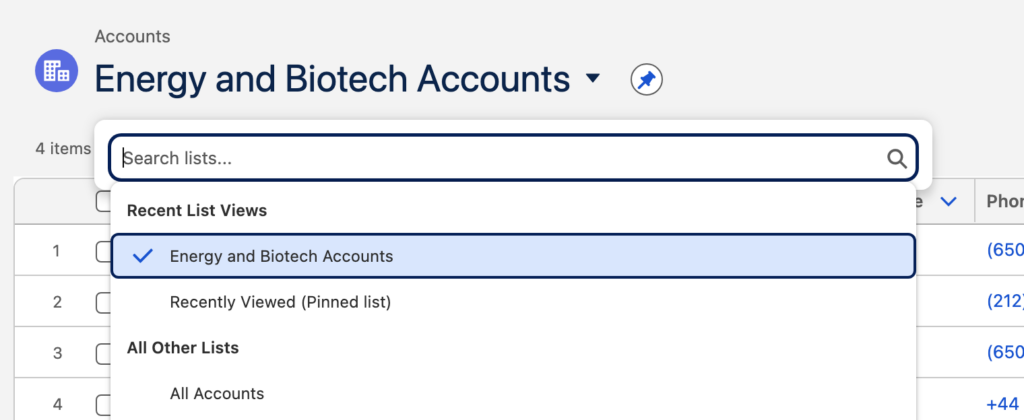
Energy와 Biotech만 보이는 List View를 생성했습니다. 사용자들이 아래처럼 선택해서 편리하게 사용할 수 있어요