Admin Intermediate > Build a Space Station App > Build the Object Model
Data Modeling
3개의 Object을 생성할 것임:
- Space Station: 프로젝트 상황추적
- Resource: 사람들이 일하는 상황추적
- Supply: 물건값 추적
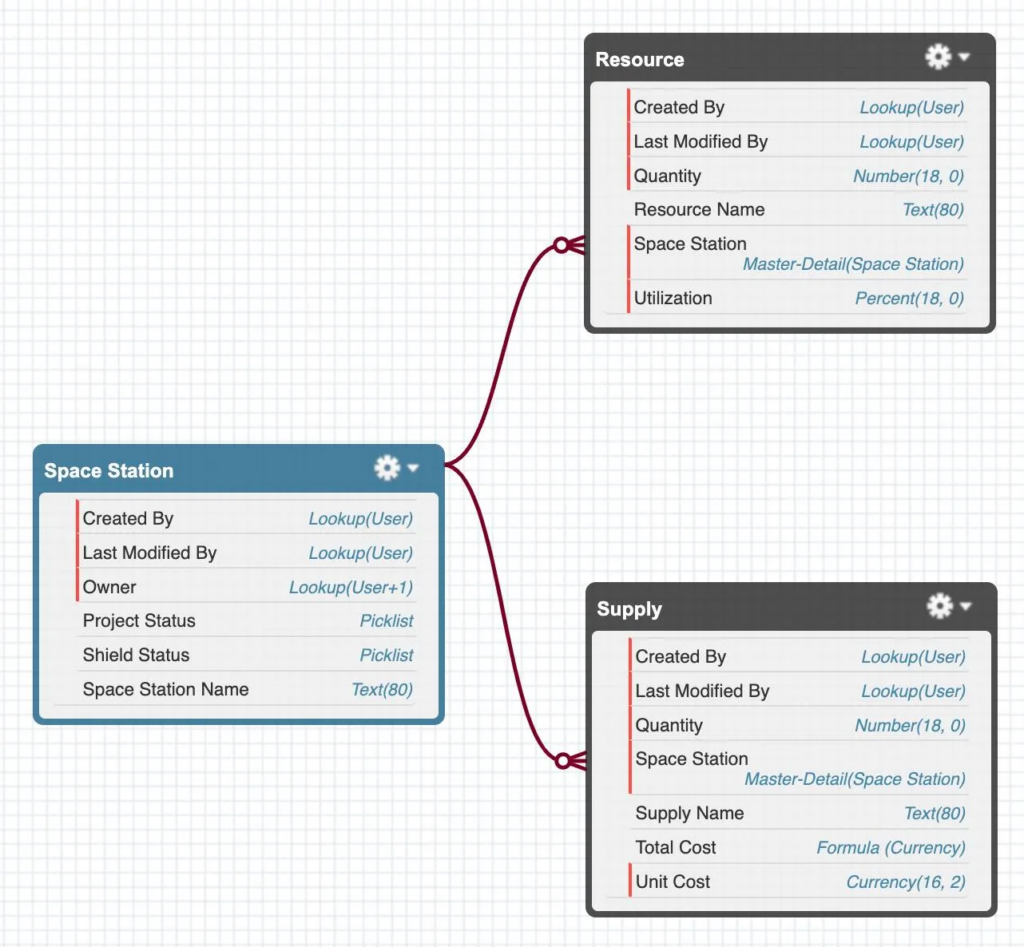
Space Station
Field추가
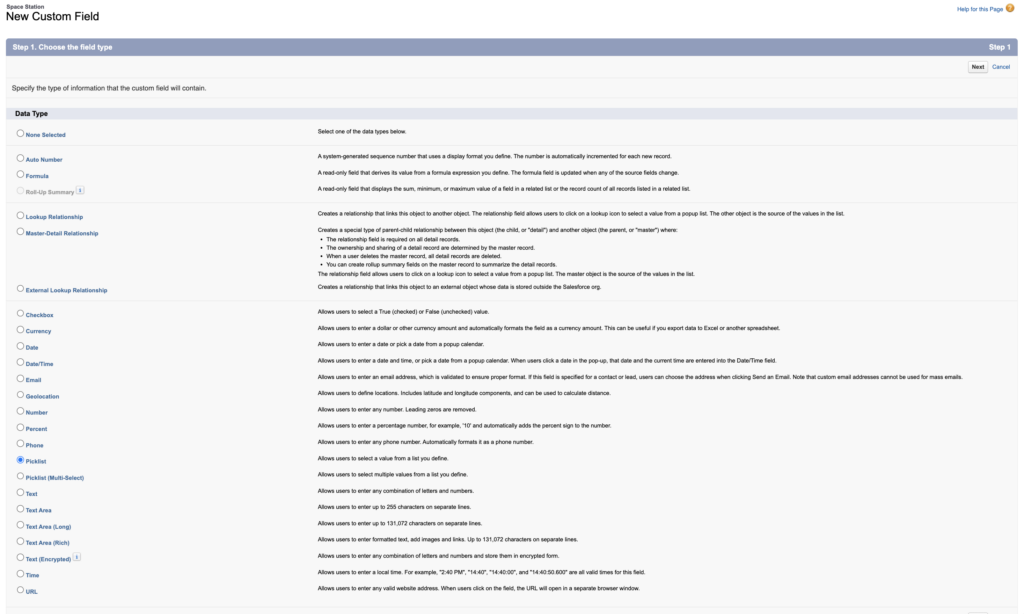
이전 시간에 만든 Space Station Object에 필드 2개 추가.
- Setup > Object Manager > Space Station > Fields & Relationships > New
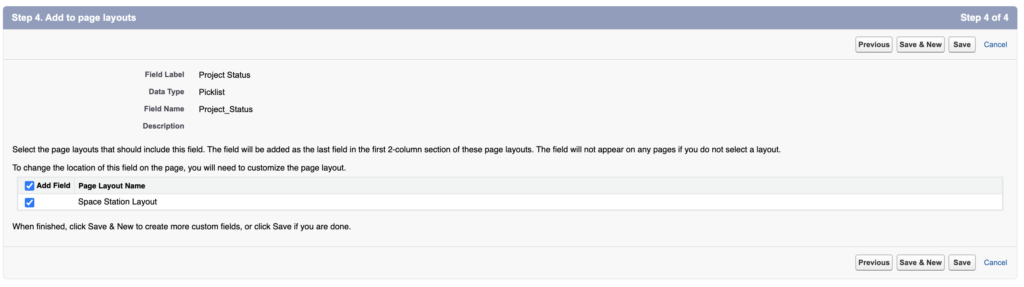
- ———————-[Project Status]———————-
- Data Type: Picklist
- Next
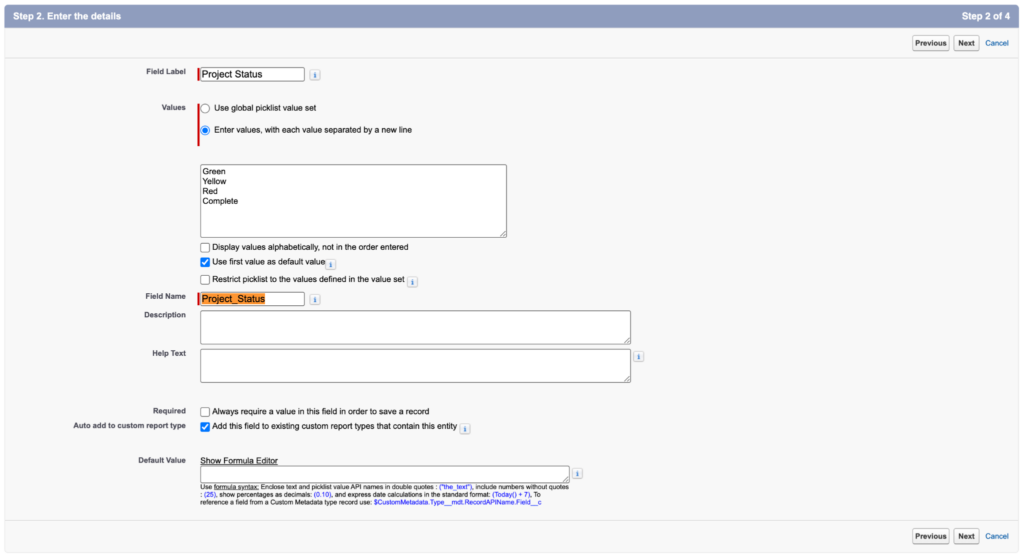
- Field Label: Project Status
- Check ✅ Enter values, with each value separated by a new line
- Green
- Yellow
- Red
- Complete
- Uncheck 🔲 Display values alphabetically, not in the order entered
- Check ✅ Use first value as default value
- Uncheck 🔲 Restrict picklist to the values defined in the value set
- Field Name: Project_Status
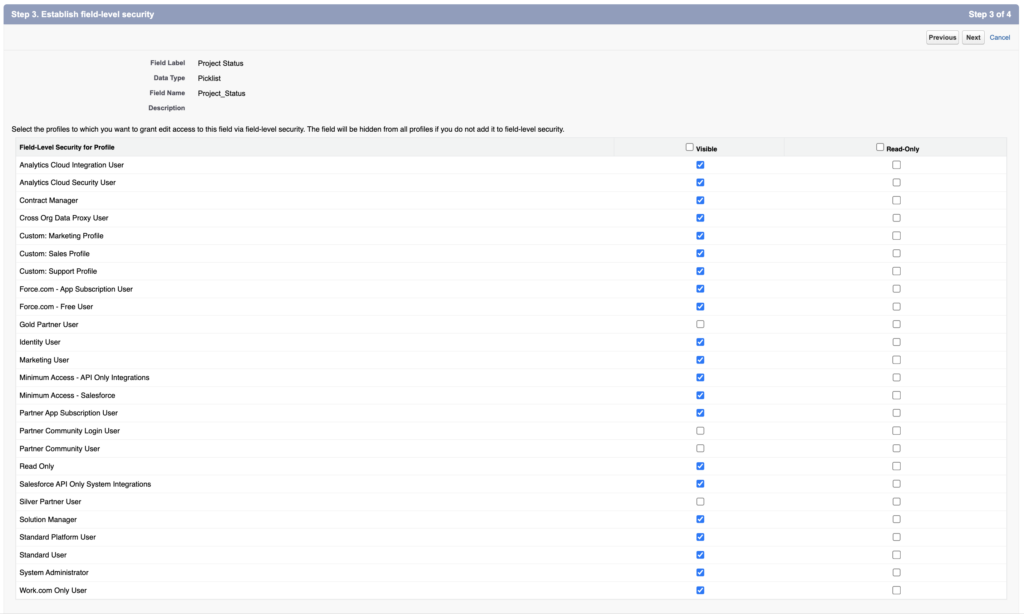
- Next, Next, Save & New
- ———————-[Shield Status]———————-
- Data Type: Picklist
- Next
- Field Label: Shield Status
- Check ✅ Enter values, with each value separated by a new line
- Not Yet Operational
- Fully Operational
- Uncheck 🔲 Display values alphabetically, not in the order entered
- Check ✅ Use first value as default value
- Uncheck 🔲 Restrict picklist to the values defined in the value set
- Field Name: Shield_Status
- Next, Next, Save & New
Resources
Object 생성
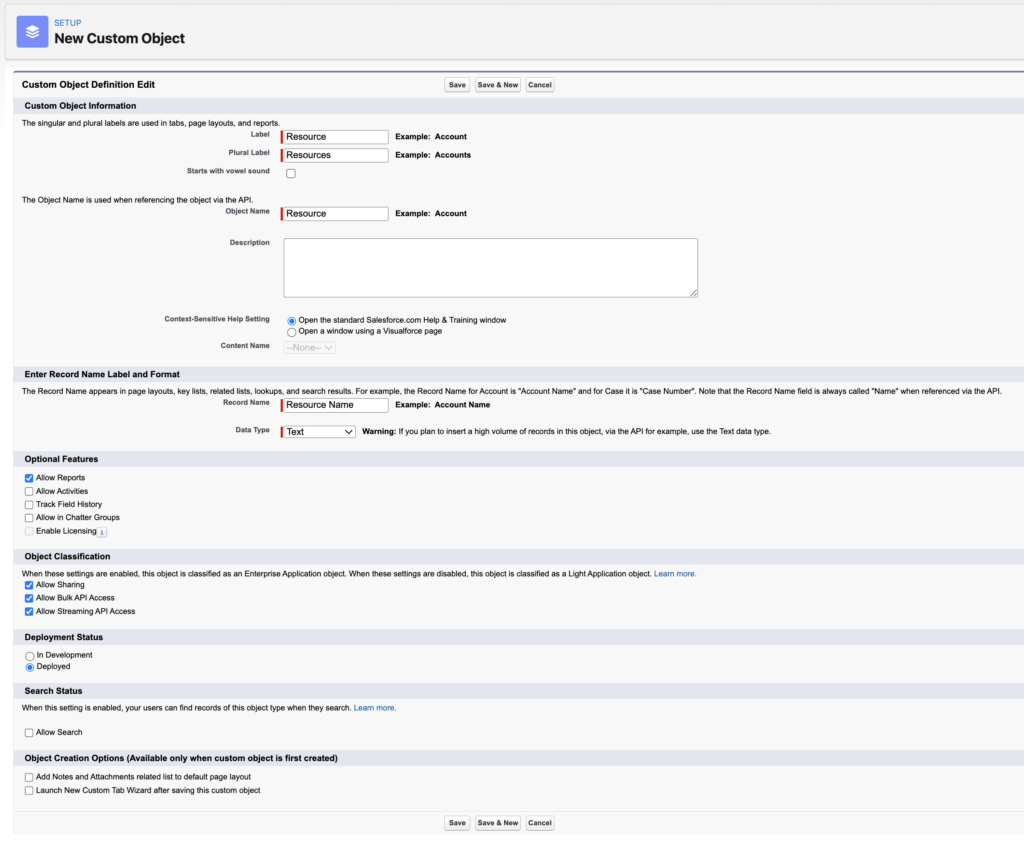
- Setup > Object Manager > Create > Custom Object
- Label: Resource
- Plural Label: Resources
- Record Name: Resource Name
- Check ✅ Allow Reports
- Save
Tab 추가
- Setup > Quick Find > Tabs > Custom Object Tabs > New
- Object: Resource
- Tab Style: Sun
- Next, Next, Save
Field 추가
- Setup > Object Manager > Resource > Fields & Relationships > New
- ———————-[Quantity]———————-
- Data Type: Number
- Next
- Field Label: Quantity
- Check ✅ Always require a value in this field in order to save a record
- Next, Next, Save & New
- ———————-[Utilization]———————-
- Data Type: Percent
- Next
- Field Label: Utilization
- Check ✅ Always require a value in this field in order to save a record
- Next, Next, Save & New
- ———————-[Space Station]———————-
- Data Type: Master-Detail Relationship
- Next
- Related to: Space Station
- Next
- Field Label: Space Station
- Field Name: Space_Station
- Next, Next, Next, Save
Supplies
Object 생성
- Setup > Object Manager > Create > Custom Object
- Label: Supply
- Plural Label: Supplies
- Record Name: Supply Name
- Check ✅ Allow Reports
- Save
Tab 추가
- Setup > Quick Find > Tabs > Custom Object Tabs > New
- Object: Supply
- Tab Style: Truck
- Next, Next, Save
Field 추가
- Setup > Object Manager > Supply > Fields & Relationships > New
- ———————-[Quantity]———————-
- Data Type: Number
- Next
- Field Label: Quantity
- Check ✅ Always require a value in this field in order to save a record
- Default Value: 2
- Next, Next, Save & New
- ———————-[Unit Cost]———————-
- Data Type: Currency
- Next
- Field Label: Unit Cost
- Length:
16 - Decimal Places:
2 - Check ✅ Always require a value in this field in order to save a record
- Next, Next, Save & New
- ———————-[Total Cost]———————-
- Data Type: Formula
- Next
- Field Label: Total Cost
- Formula Return Type: Corrency
- Decimal Places:
2
Next - Formula
- Quantity__c * Unit_Cost__c
- Check Syntax버튼 클릭
- Next, Next, Save & New
- ———————-[Space Station]———————-
- Data Type: Master-Detail Relationship
- Next
- Related to: Space Station
- Next
- Field Label: Space Station
- Field Name: Space_Station
- Next, Next, Next, Save
Vocabulary
- versatile: 변하기 쉬운
- comprises: 구성하다